
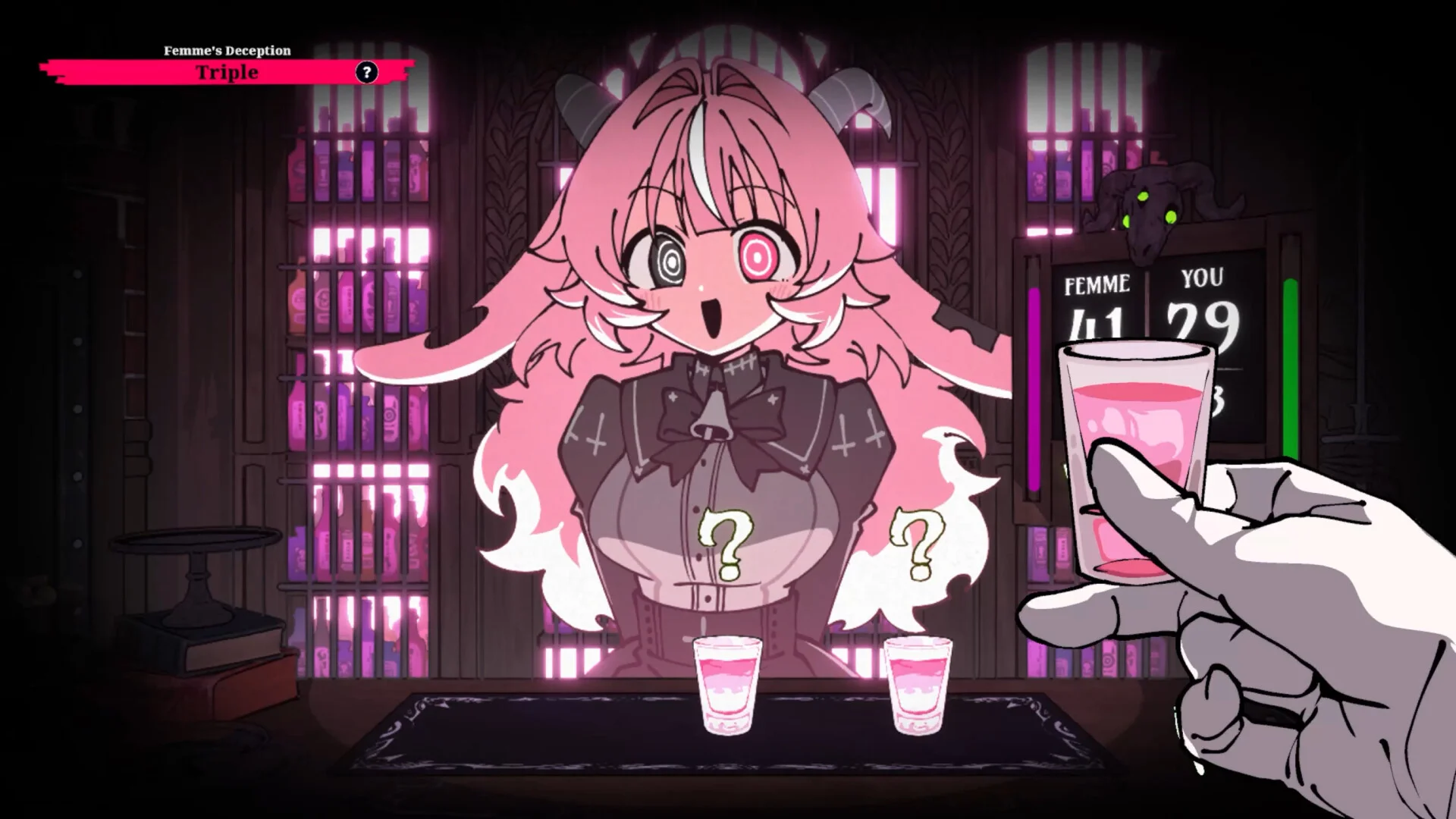
Whether you are navigating the atmospheric 3D speakeasy of Pandemonium or locking eyes with Femme Soule across the mahogany counter in a tense shot-glass Russian roulette, smooth and responsive controls are essential. Drunken Goddess Reflux features a versatile input and configuration suite designed by GUI lead Kaoru Ito and programmer oyatsu, accommodating mouse-and-keyboard purists, controller enthusiasts, and accessibility needs alike.
This comprehensive guide covers all default keybindings, gamepad mappings, graphics optimization toggles, and accessibility options.
Complete Keyboard and Mouse Controls
The PC control scheme separates into two distinct phases: Duel Mode (first-person drinking duel) and Exploration Mode (free-roam 3D tavern exploration).
1. Duel Mode Controls (At the Bar Counter)
- Mouse Hover: Examine shot glasses and inspect surface tension.
- Left-Click (
L-Click): Select and pick up target glass. - Left-Click (Hold & Release): Drink the held glass.
- Right-Click (
R-Click): Initiate Napkin Spit Bluff (reduces intake by 50%). QKey: Tap table / Glass ping test (audio resonance check).Spacebar: Raise glass for toast / Confirm turn.1/2/3/4Keys: Activate Drunken Trick cards from active hand.TabKey: Bite fresh lime wedge (steady aim for 10 seconds).EscKey: Open Pause / Settings menu.
2. Exploration Mode Controls (3D Pandemonium Roam)
W / A / S / D: Move character forward, left, backward, right.- Mouse: Look around / Aim camera.
Left Shift: Sprint.EKey: Interact with objects (Jukebox, Shaker, Padlock, Doors).CtrlKey: Crouch (inspect low shelves, under-sink pipes).IKey: Open Inventory / Bartender Logbooks.
Learn how to explore Pandemonium effectively in Pandemonium Bar Secrets.
Gamepad & Steam Deck Controller Layout
Drunken Goddess Reflux includes native mapping profiles for Xbox, PlayStation, and Steam Deck:
[Left Stick]  -> Character Movement (Walk / Run)
[Right Stick] -> Cursor Crosshair / Look Direction
[Right Trigger (RT / R2)] -> Drink Held Glass
[Left Trigger (LT / L2)]  -> Napkin Spit Bluff
[A / Cross Button]        -> Interact / Confirm Pick
[X / Square Button]       -> Tap Glass (Audio Resonance Test)
[Y / Triangle Button]     -> Open Trick Card Wheel
[B / Circle Button]       -> Cancel Action / Pass Turn
[D-Pad Up/Down/Left/Right]-> Select Trick Cards 1-4
[Menu / Start Button]     -> Pause Settings
For hardware specs and Steam Deck battery optimization, review our Release Date and System Specs Guide.
Video & Graphics Settings: Maximizing Clarity
To ensure optimal visual detection of Meniscus Surface Tells:
| Setting | Recommended Value | Competitive Impact |
|---|---|---|
| Resolution | Native (1920x1080 or higher) | Crucial for rendering micro-bubbles and vapor. |
| V-Sync | OFF (or Fast/G-Sync) | Reduces input lag during quick-time Ice Pick events. |
| Motion Blur | OFF | Eliminates unwanted camera smear when scanning glasses. |
| Chromatic Aberration | Standard (or Reduced) | Preserves game atmosphere while reducing eye strain. |
| Field of View (FOV) | 90° (Default: 80°) | Expands peripheral view of Femme Soule's facial tells. |
| Anti-Aliasing | TAA or SMAA | Smooths crystal glass edges for accurate meniscus reading. |
Accessibility Settings: Comfort & Clarity
Developers WHO YOU implemented robust accessibility toggles:
- Drunken Camera Sway Toggle: Reduces or disables the rhythmic 0.5Hz swaying effect during Stage 2 and 3 intoxication, preventing motion sickness.
- Colorblind Proof Glyphs: In addition to natural liquid colors, enabling this option projects discreet geometric icons on the coasters:
- Circle = Low Proof (0-20%)
- Triangle = Medium Proof (40-50%)
- Skull = Lethal Proof (70-96% including Spiritum)
- Audio Cue Subtitles: Displays text captions for subtle acoustic tells (e.g.
[Glass Vibrates with High Pitch],[Femme Soule Giggles Nervously]).
Pro Tip: Sensitivity Tuning for Ice Pick Emergencies
If you find yourself missing the quick-time target when using the Ice Pick, lower your Mouse Sensitivity by 20% in the controls menu. A lower sensitivity counters the involuntary cursor tremor induced by high intoxication, making knuckle-strike accuracy significantly higher!
Related Guides & Next Steps
Fine-tune your setup for the ultimate duel:
- Review the game rules in Russian Roulette Rules Explained.
- Study all drink properties in Drink Tier List.
- Learn how to master the boss encounter in Femme Soule Boss Guide.
- Check active redemption codes in Codes and Passwords.
